AI-Assisted Survey Response Analysis Tool
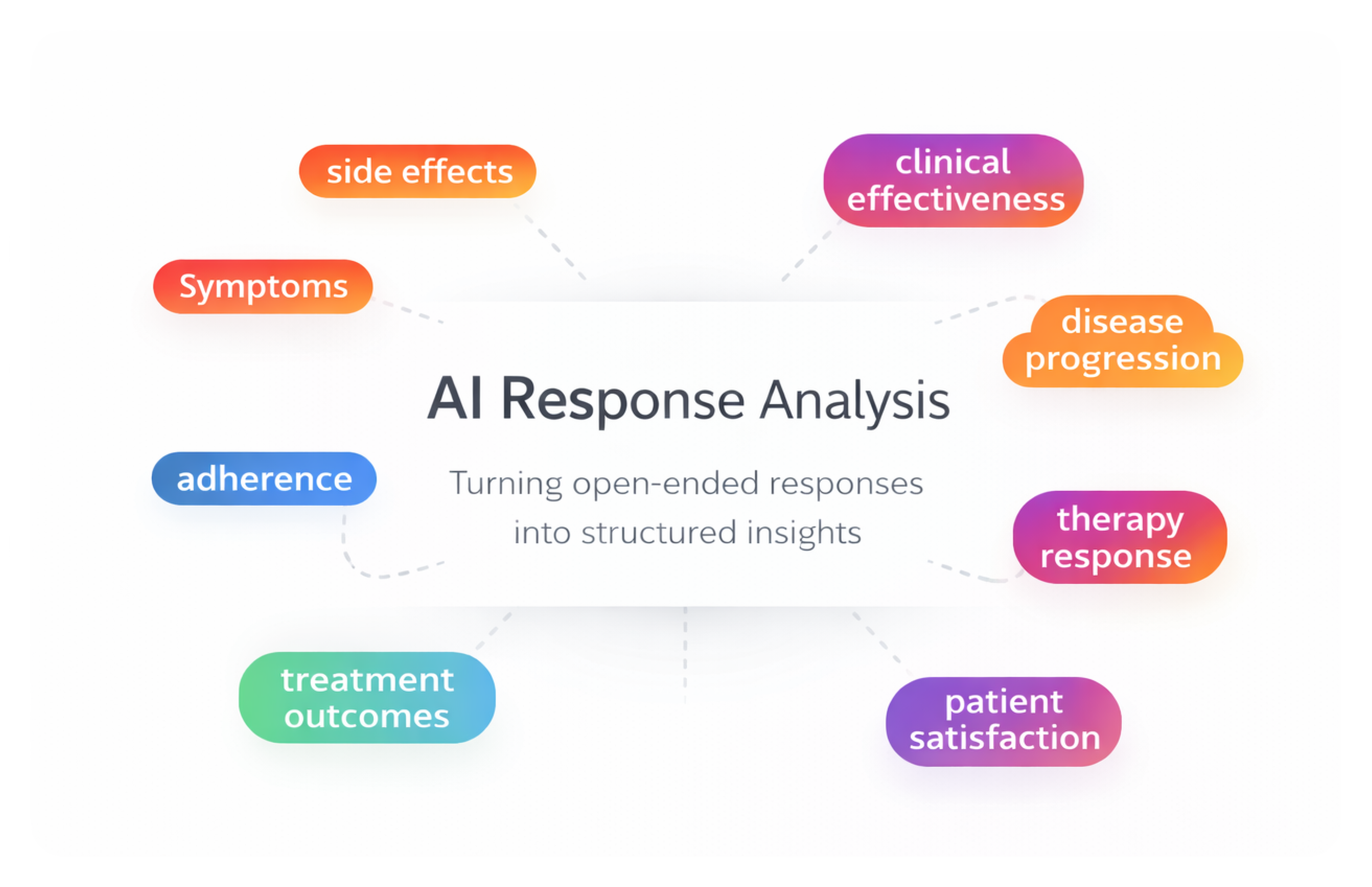
As a product designer on a 0-to-1 initiative, I designed an internal AI-assisted research tool that helps teams analyze and categorize large volumes of open-ended survey responses — enabling researchers to move from raw qualitative data to structured insights faster while maintaining transparency and human control.
Role
Product Designer (0→1 Feature)
Industry
Healthcare Research SaaS
Duration
3 months (Discovery → Launch)
Overview
The AI-Assisted Survey Response Analysis Tool is an internal research feature that helps teams analyze and categorize large volumes of open-ended survey responses.
Primary Users:
Research, Reporting, and Access teams are responsible for analyzing survey responses, identifying patterns, and preparing insights for clients. These teams frequently work with large sets of qualitative responses that require careful categorization and validation before reporting.
Challenge:
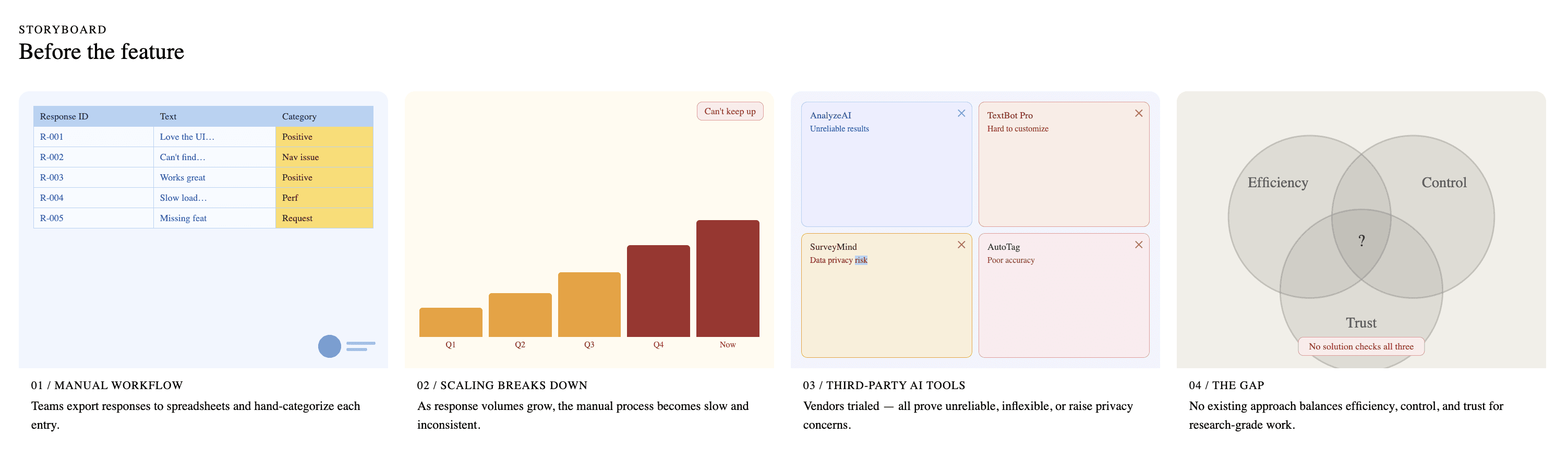
Before this feature existed, teams relied heavily on manual workflows to analyze open-ended responses, often exporting data to spreadsheets and categorizing responses by hand. As response volumes grew, this process became increasingly time-consuming, inconsistent, and difficult to scale. The team also experimented with several third-party AI tools to automate the process. However, these solutions proved unreliable, difficult to customize, and raised data privacy concerns.
As a result, none of the existing approaches provided the right balance between efficiency, control, and trust needed for research-grade analysis.
Deliverables:
I led the design of an AI-assisted analysis workflow that combines automated categorization with human review. The system introduces AI as a first-pass assistant while keeping researchers in control through editing modes, re-categorization safeguards, and results preview — enabling teams to analyze qualitative data faster while maintaining accuracy and trust.
Discovery Research
Before designing the AI-assisted analysis experience, I worked with the Reporting Team to understand how open-ended survey responses were currently analyzed.
Researchers walked us through their existing workflow, demonstrating how they read responses, created categories, and tagged responses manually. In many cases, responses were exported to spreadsheets or processed through third-party AI tools to help summarize and group similar responses.
These sessions helped reveal how researchers actually approached qualitative analysis, where AI assistance could be helpful, and where existing tools fell short.
What We Observed:
Researchers often need to read responses carefully to understand context before assigning categories
While third-party AI tools could generate summaries, researchers frequently needed to review and correct AI-generated categories
Existing tools lacked customization for research workflows and raised concerns around data privacy and reliability
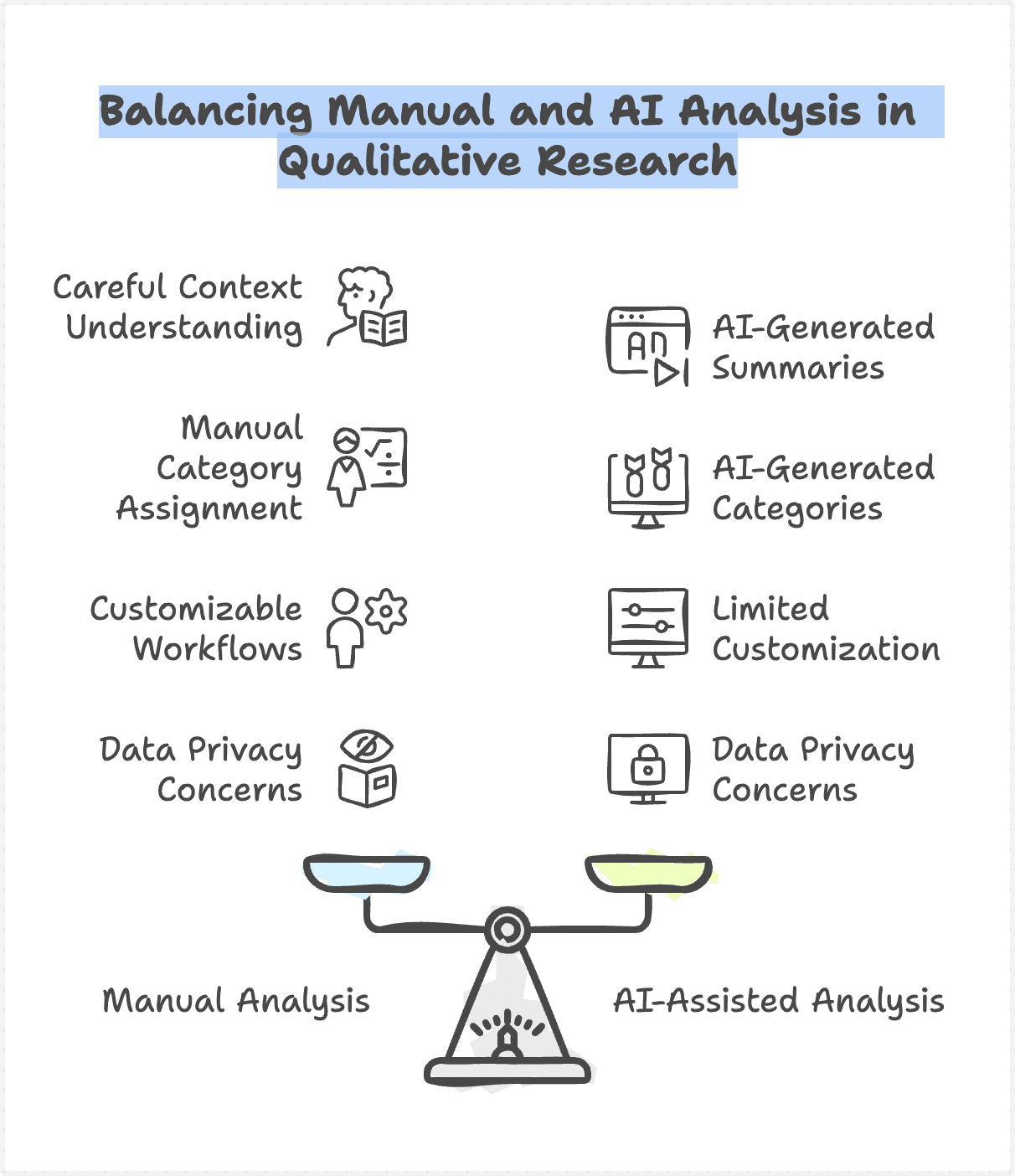
These observations helped shape the design principles and workflow decisions for the AI-assisted analysis tool.
Design Approaches
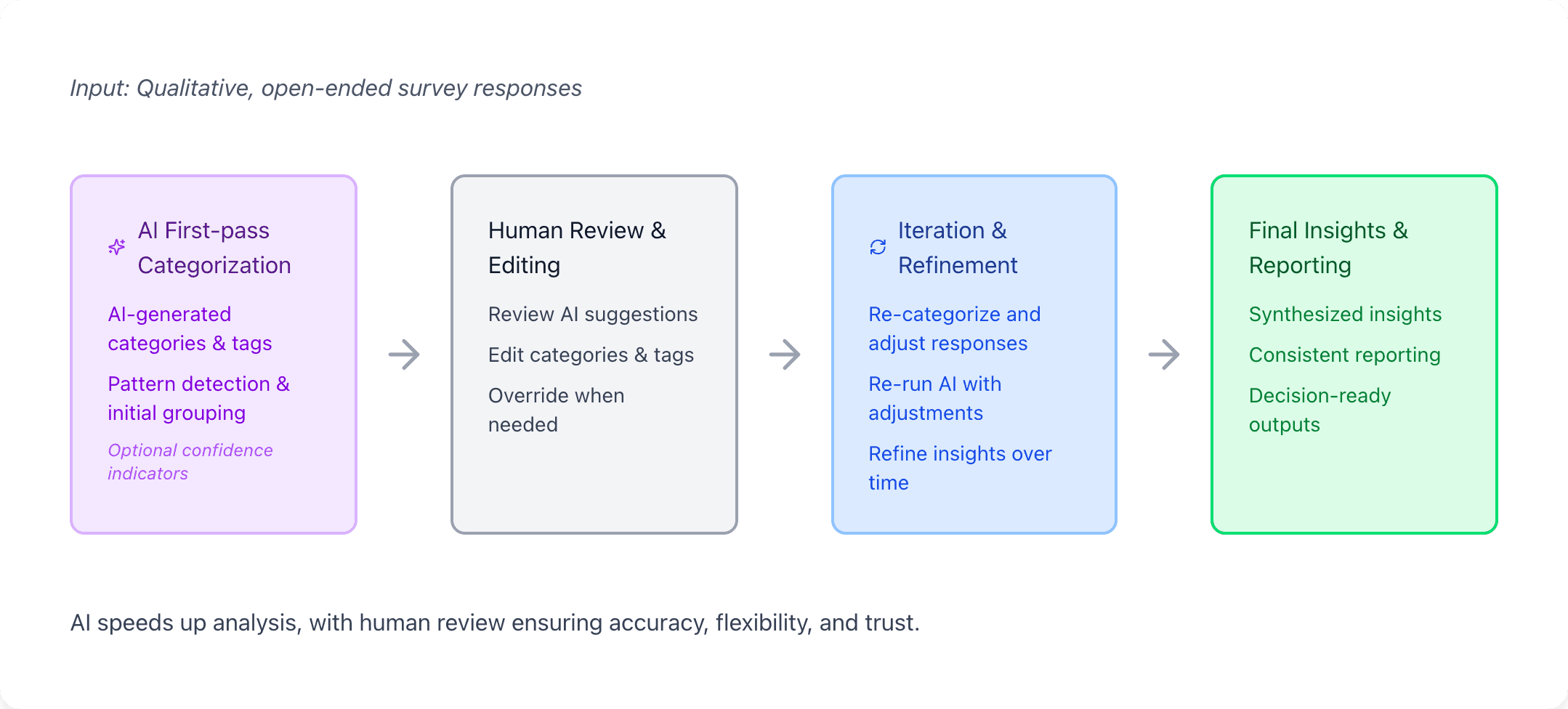
To guide the design of the AI-Assisted Survey Response Analysis Tool, we established the following principles—grounded in real research workflows and the limitations of existing AI solutions.
Human-in-the-loop by default
AI should assist, not replace, the researcher's judgment. The system provides AI-generated starting points while ensuring researchers remain in control to review, edit, and refine results at every stage.
Transparent and editable AI outputs
AI results should never be a black box. Categories and classifications must be visible, understandable, and easy to modify—so researchers can validate and trust the output.
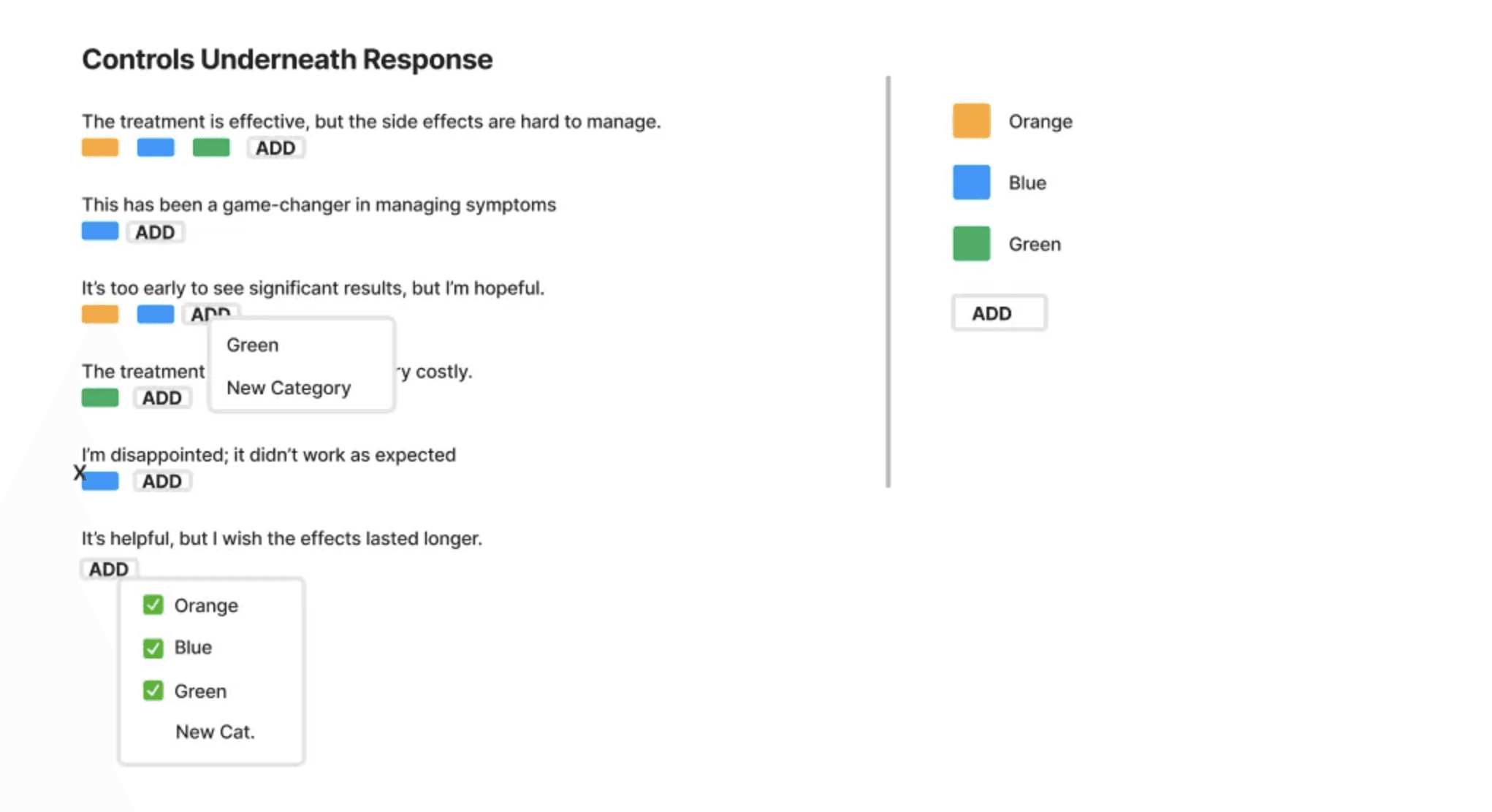
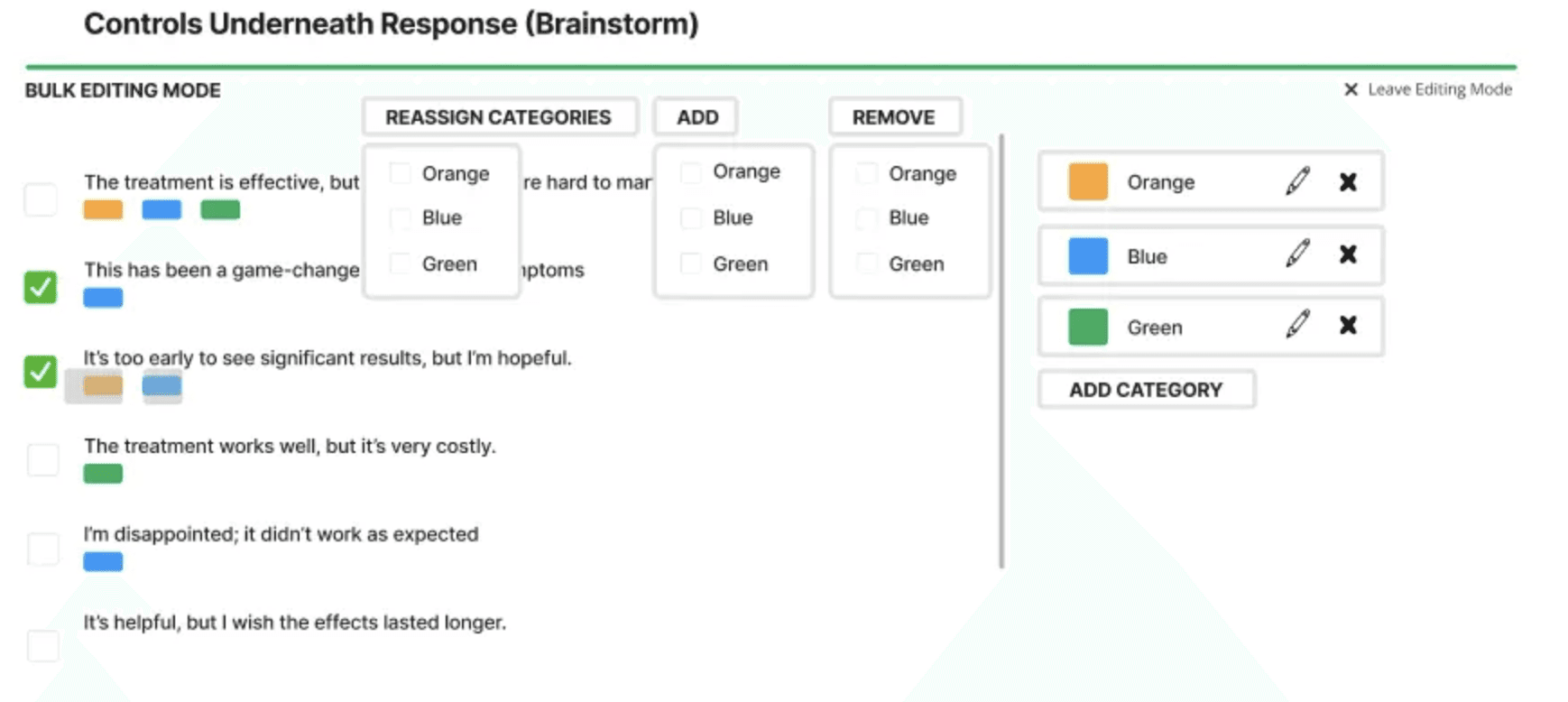
Designed for iteration, not one-time automation
Research analysis is rarely final on the first pass. The experience supports re-categorization and refinement, reflecting how researchers actually work over time.
Customizable to real research workflows
Different studies require different categorization logic. The tool adapts to internal processes and reporting needs, rather than forcing teams into rigid third-party structures.
Privacy-first and secure by design
Survey data is often sensitive. The system prioritizes data protection and minimizes external exposure to reduce security and information leakage risks.
Translating the Workflow into the Product Experience
The solution is a custom AI-assisted research tool designed to help teams analyze and categorize open-ended survey responses with greater speed, consistency, and confidence.
Rather than fully automating the process, the system positions AI as a first-pass assistant. AI generates initial categories and tags based on response patterns, reducing manual effort. Researchers then review, edit, and refine these results—maintaining full ownership over the final insights. The experience is built around real research workflows:
• AI provides an initial analytical structure, not a final answer
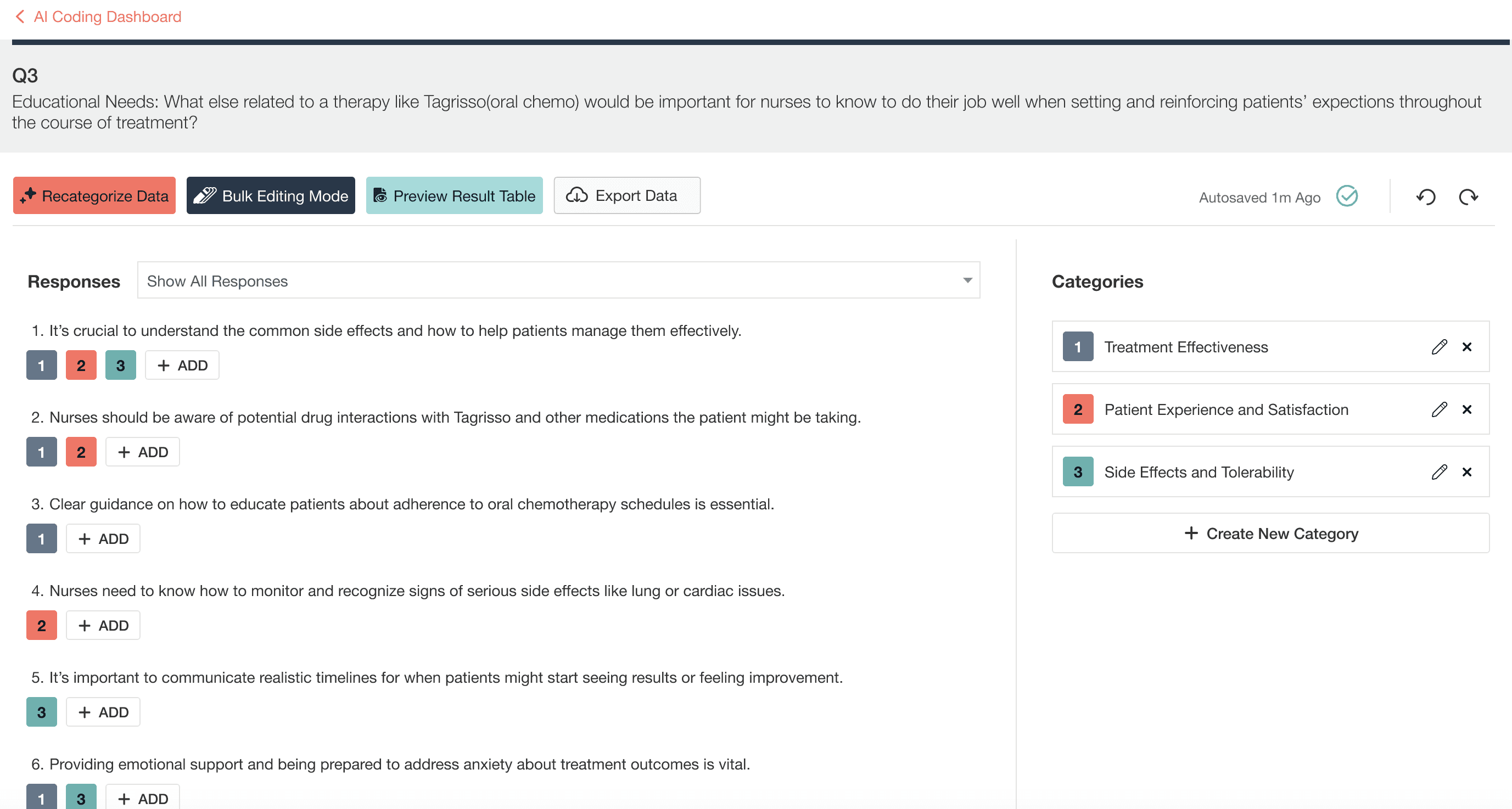
• Researchers can review, modify, and re-categorize at any stage
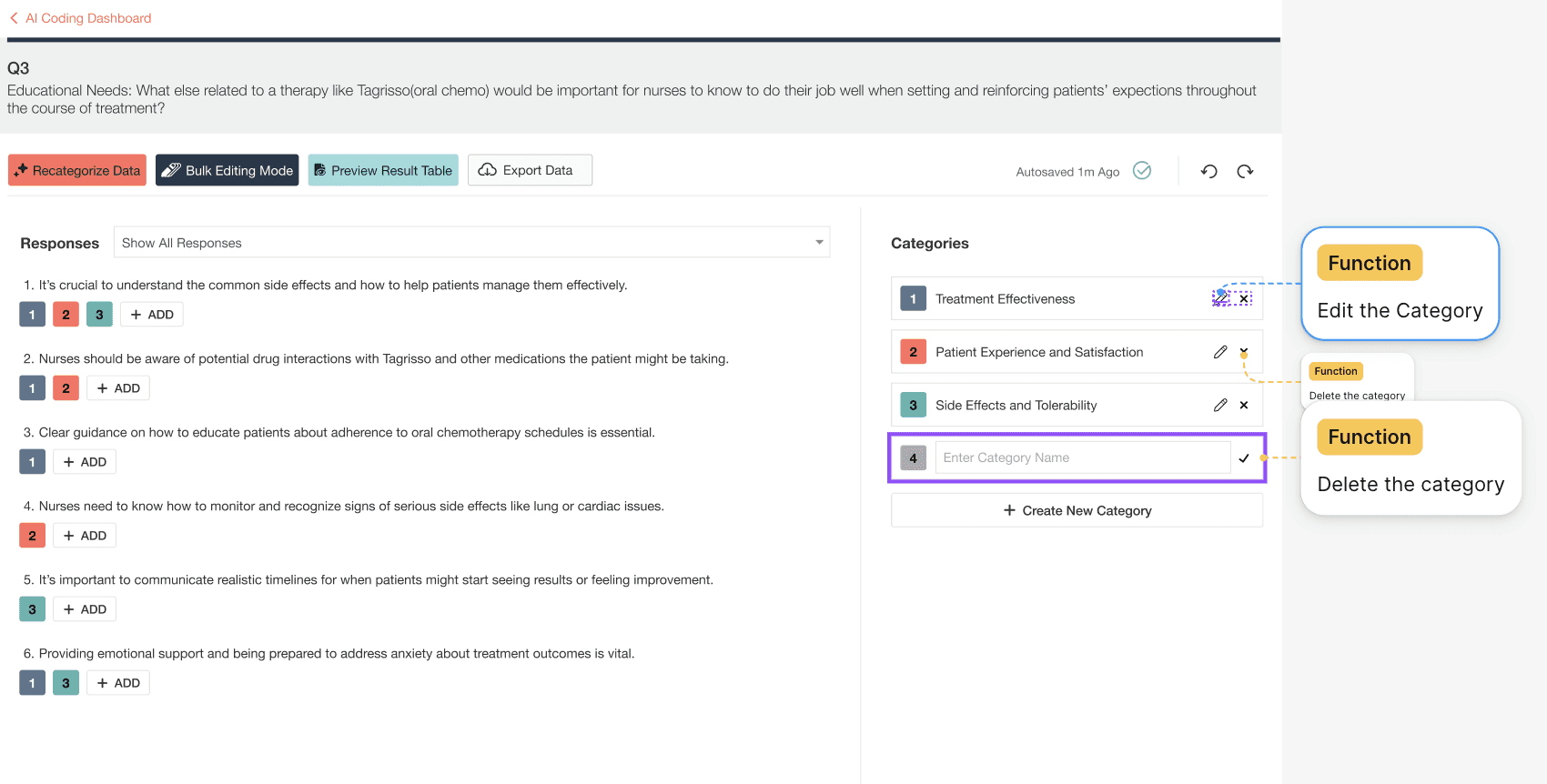
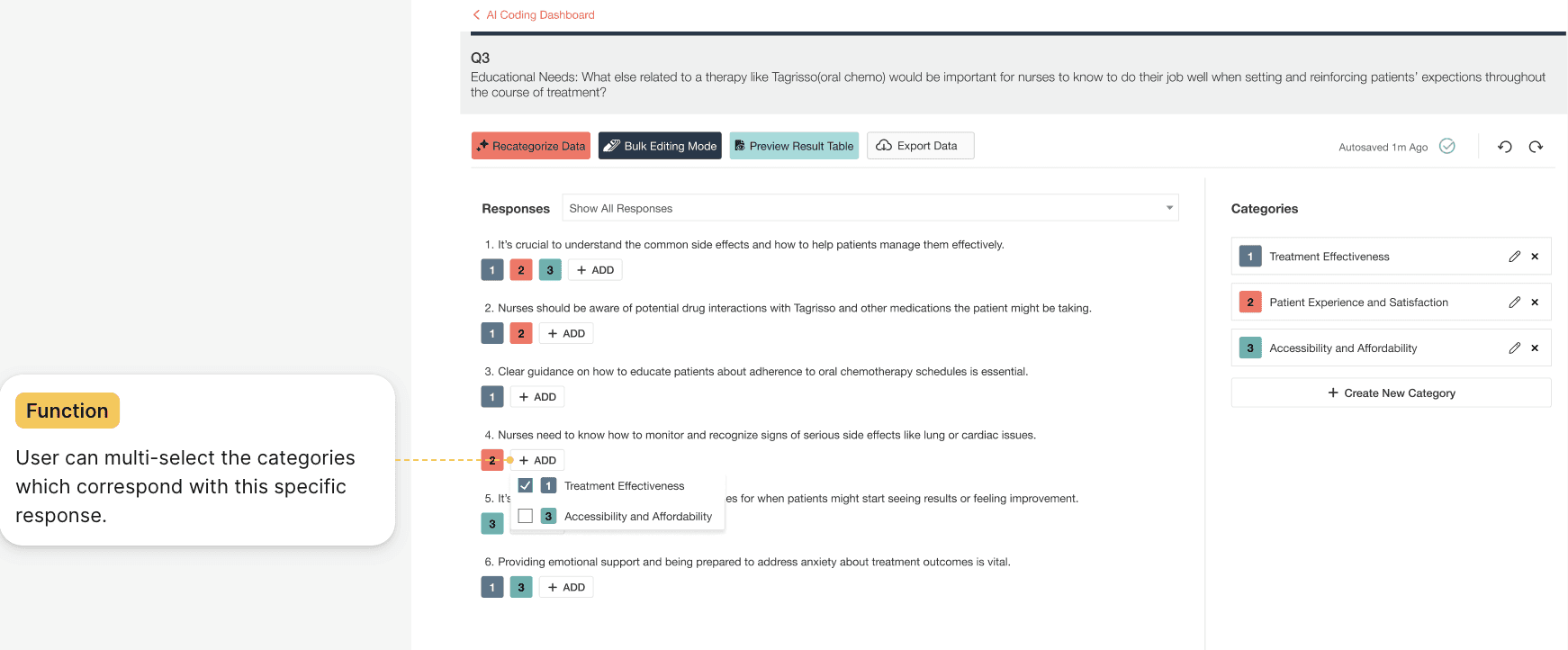
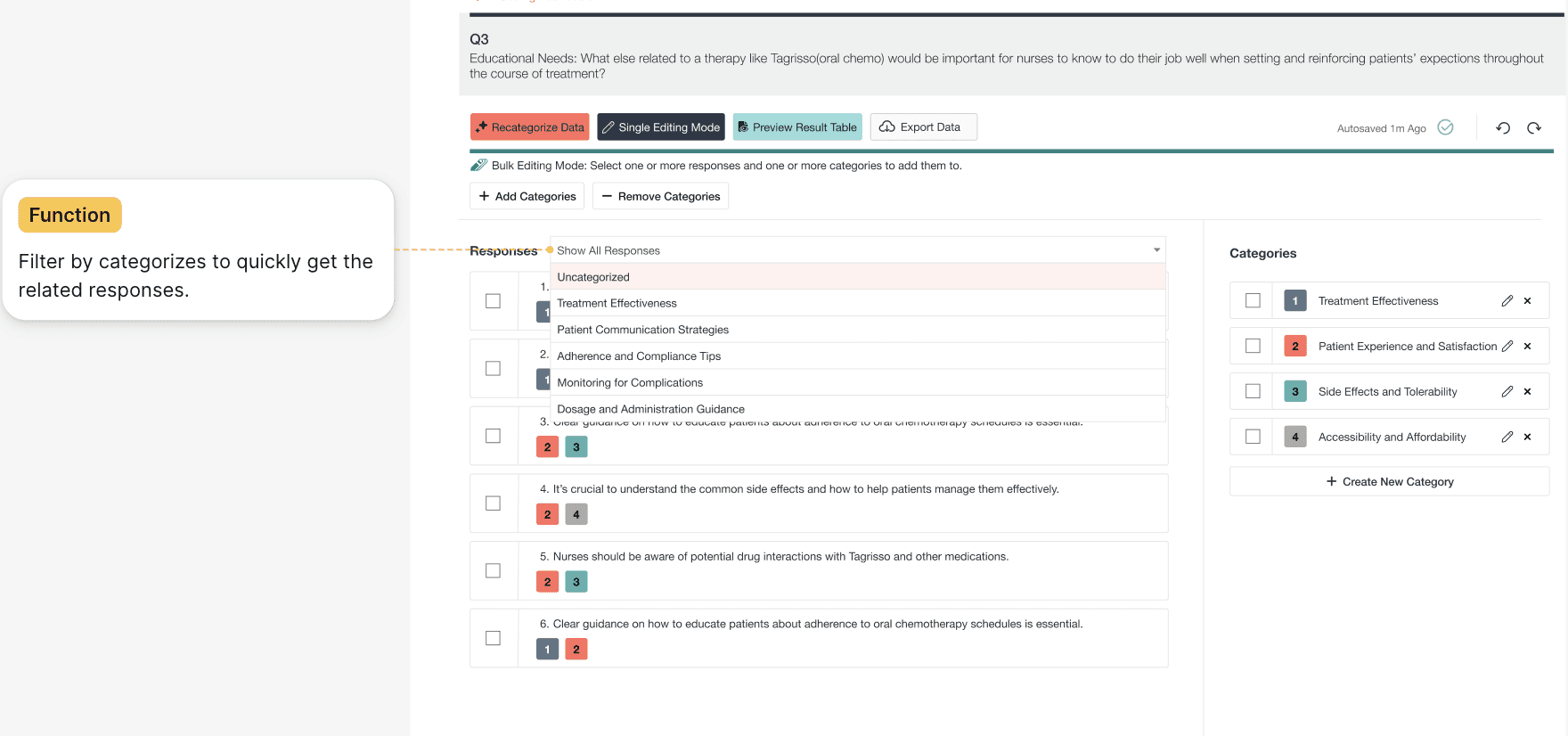
• The system supports iteration as understanding evolves
By combining AI efficiency with human judgment, the tool transforms a previously manual, Excel-based workflow into a scalable and trustworthy research system—without compromising accuracy, customization, or data security.
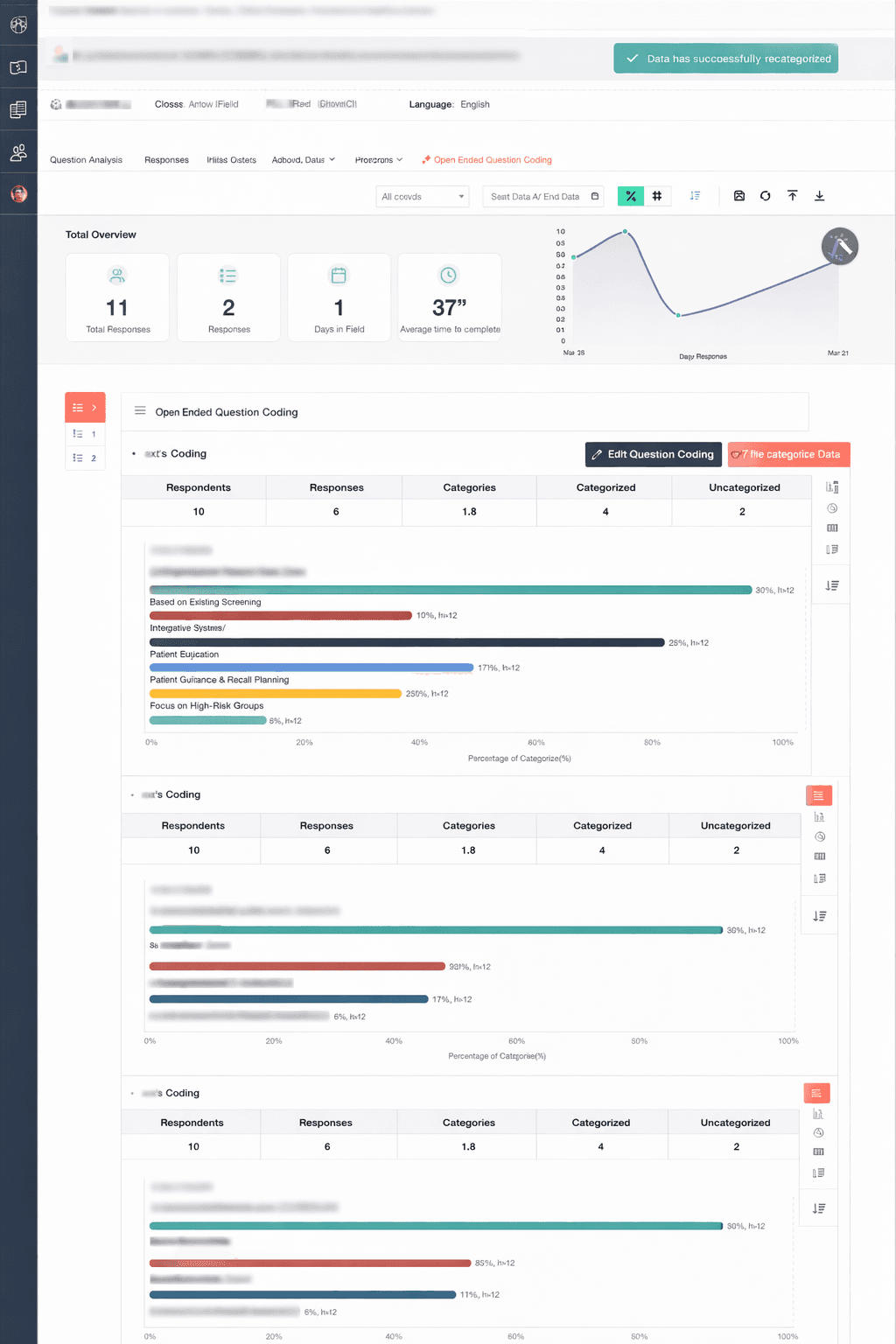
Final Report
Results Preview dashboard showing categorized responses, category distribution, and analysis metrics. Sensitive survey content and project details have been anonymized for confidentiality
User Testing
After completing the high-fidelity prototype, I conducted usability testing sessions to validate the proposed AI-assisted workflow and understand how researchers would interact with the system in real scenarios.
Participants:
5 internal users participated in the sessions, including members from the Access Team and Reporting Team, who regularly work with large volumes of open-ended survey responses.
Method:
Participants walked through the high-fidelity prototype while performing common analysis tasks such as categorizing responses, refining categories, and preparing results for reporting.
During the sessions, participants were encouraged to think aloud and explain how they interpreted AI suggestions, how they made categorization decisions, and what actions made them feel confident or uncertain.
Key Insights:
Researchers switch between two editing modes
Researchers naturally moved between two mental modes while analyzing responses.
Sometimes they needed to carefully review and adjust AI suggestions one response at a time. In other cases, once patterns became clear, they wanted to apply the same change across many responses quickly.
This insight led to separating the workflow into Single Edit Mode and Bulk Edit Mode, allowing the interface to support both precision and scale without increasing cognitive load.


Researchers are cautious about irreversible AI actions
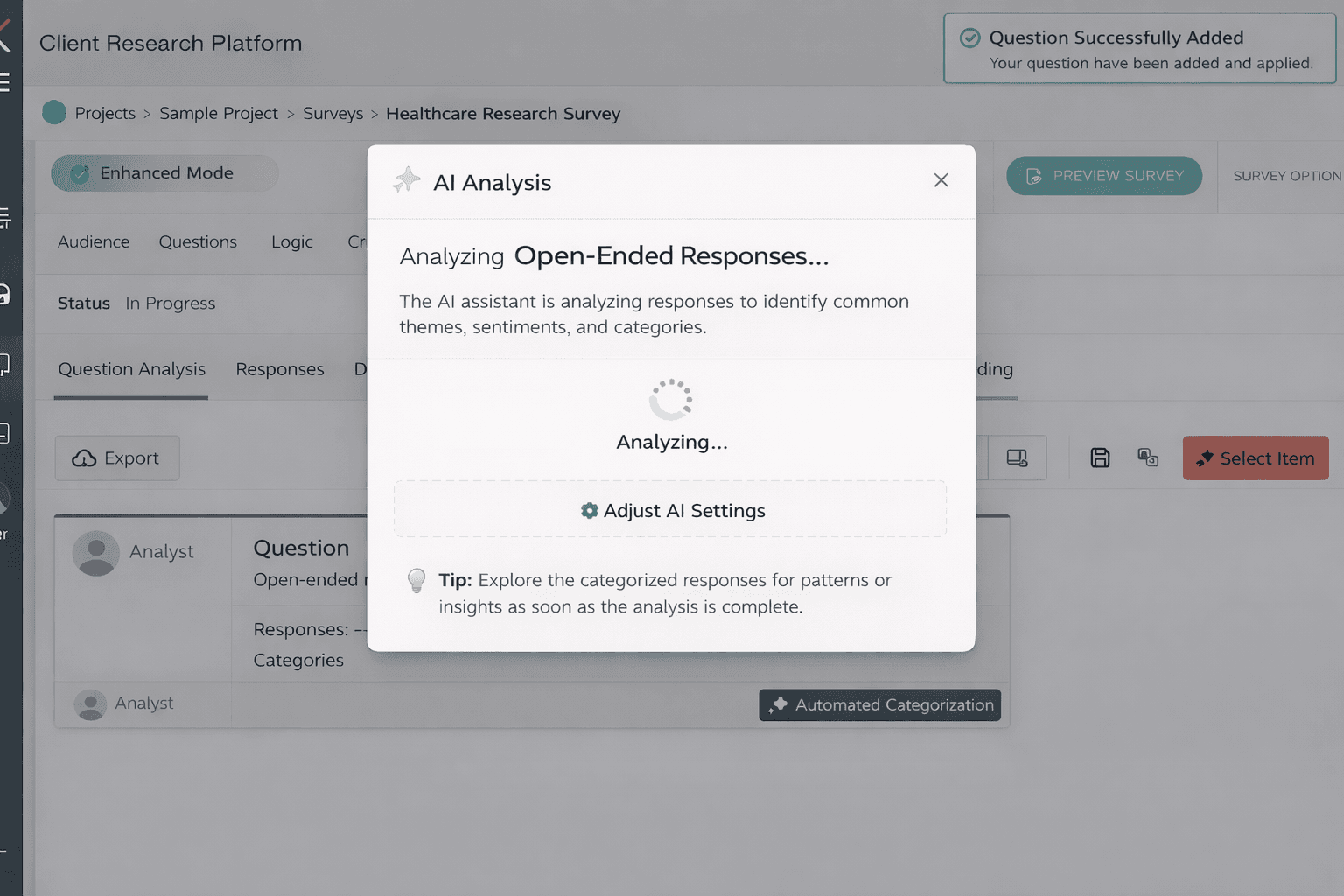
During testing, several participants hesitated before triggering re-categorization because they were unsure what would happen to their previous work.
Although re-running AI categorization appeared simple, researchers recognized that it could overwrite manual adjustments they had already made.
This observation informed the design of strong warning states and confirmation flows to make system behavior transparent and prevent unintended data loss.
📸 Re-categorization warning modal, loading state, and success confirmation
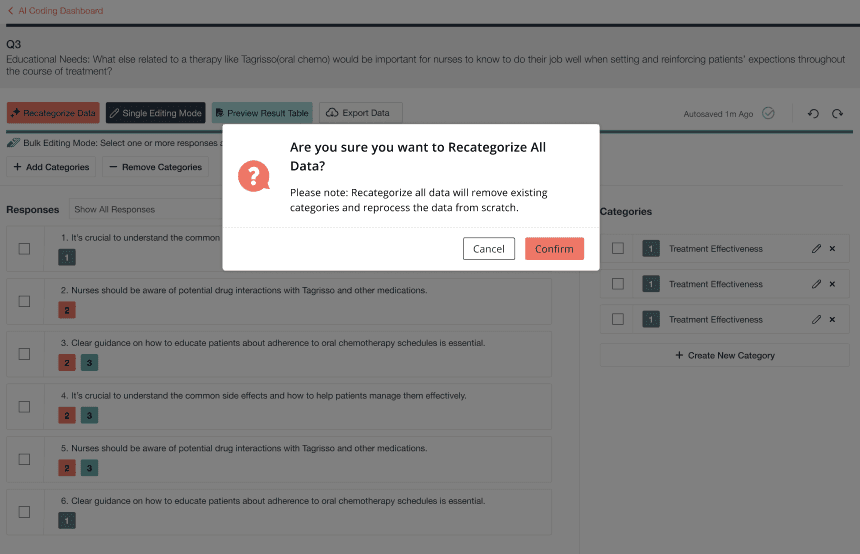


By pairing strong warnings with transparent system feedback, researchers remain confident and in control—even when working with irreversible AI-driven operations.
Researchers need to validate results before exporting
Even after completing categorization, researchers rarely felt confident immediately.
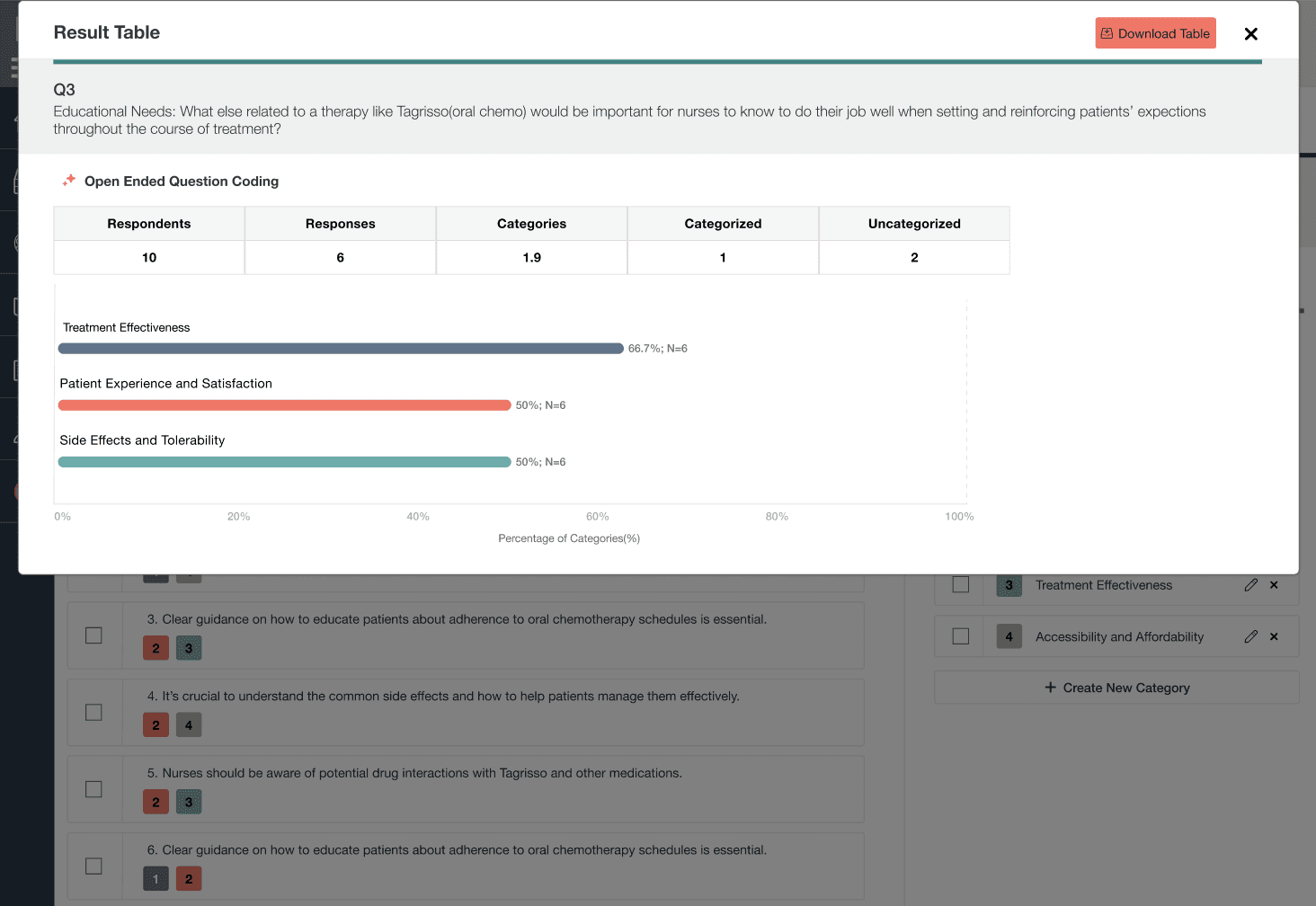
What they wanted most was a quick way to confirm whether the results actually made sense—for example, whether category distributions looked reasonable or if some responses remained uncategorized.
This insight led to the introduction of a Results Preview, enabling researchers to review patterns and validate outcomes before exporting their analysis.
📸 Results preview with metrics and category distribution
Outcome of Testing:
These usability sessions helped validate the core workflow and directly informed several key design decisions, ensuring the AI-assisted experience balanced efficiency, transparency, and researcher control.
Outcome / Impact
The AI-Assisted Survey Response Analysis Tool measurably improved how researchers work with open-ended data.
Researchers shifted from manual, response-by-response tagging to validating AI-generated structures and refining insights. The introduction of single-edit and bulk-edit workflows, combined with results preview, reduced repetitive work and shortened the path from raw responses to analysis-ready outputs.
As a result, teams were able to move faster with fewer corrections downstream—maintaining confidence and control while working with AI-assisted analysis.
Constraints & Trade-offs
Re-categorization is irreversible due to system constraints, requiring strong warnings and explicit confirmation.
AI outputs are non-deterministic, making transparency and result validation critical for trust.
Version comparison was prioritized over full undo to balance usability with technical feasibility.
Reflection / What I Learned
Designing for AI isn’t about automation—it’s about partnership.
This project reinforced the importance of transparency, intent, and psychological safety when designing AI-assisted workflows that users can truly trust.
Other projects
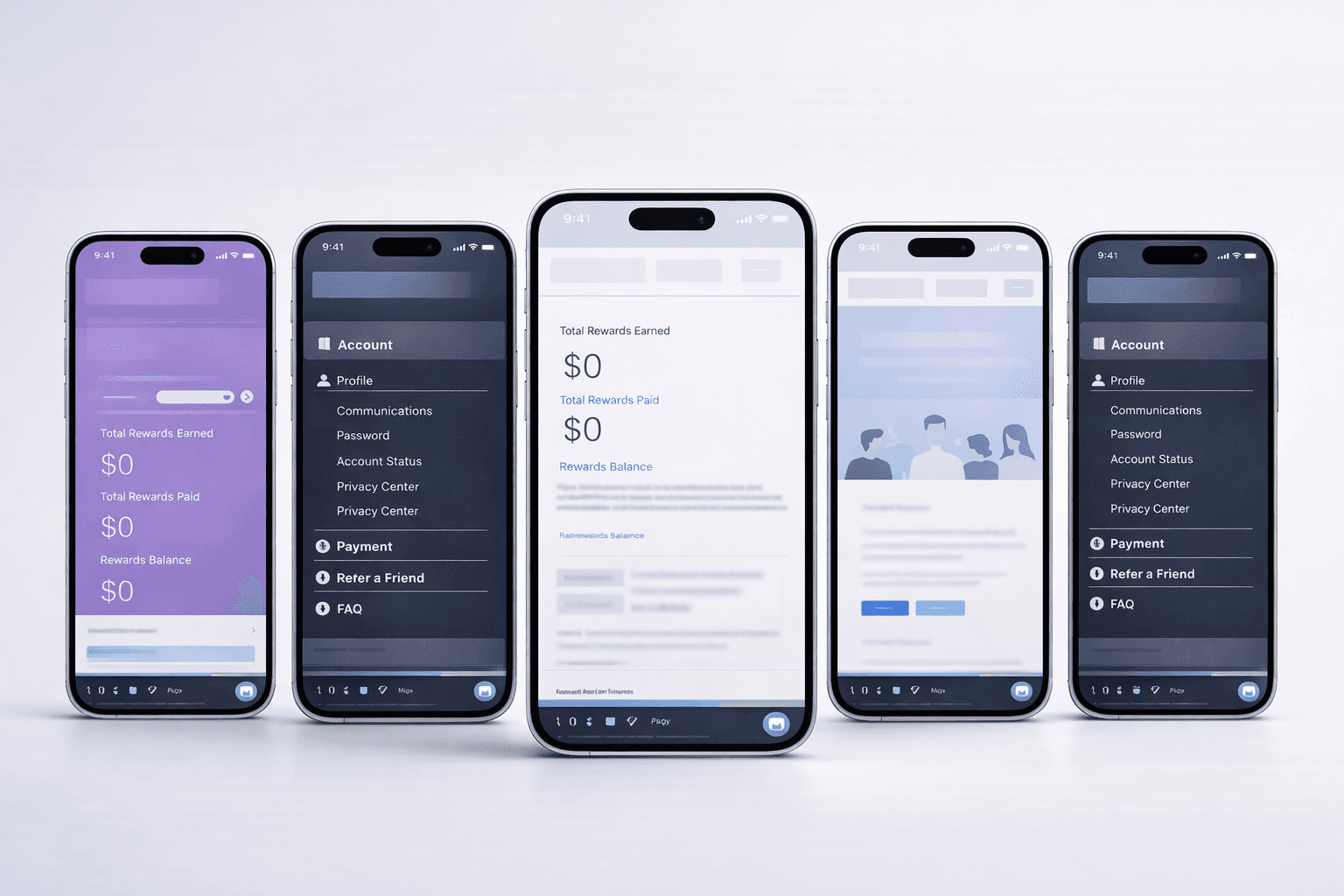
Respondent Portal Redesign (Web + Mobile)
Mobile-First Panelist Experience
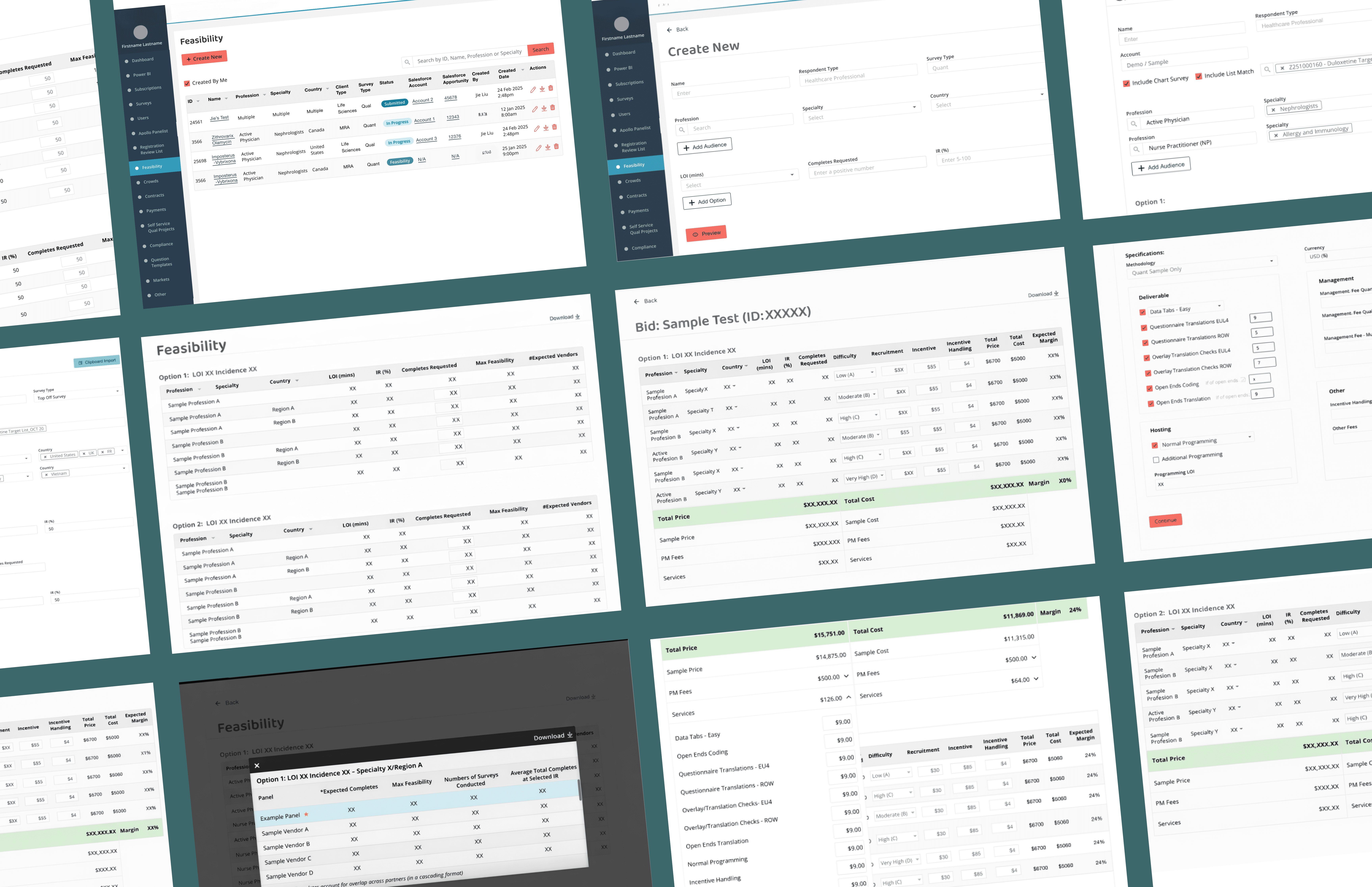
Feasibility & Pricing — Internal Decision Platform
As a product design lead on a zero-to-one project, designing a core internal platform that enables teams to evaluate whether a project is viable and how it should be priced— supporting confident decisions at scale.
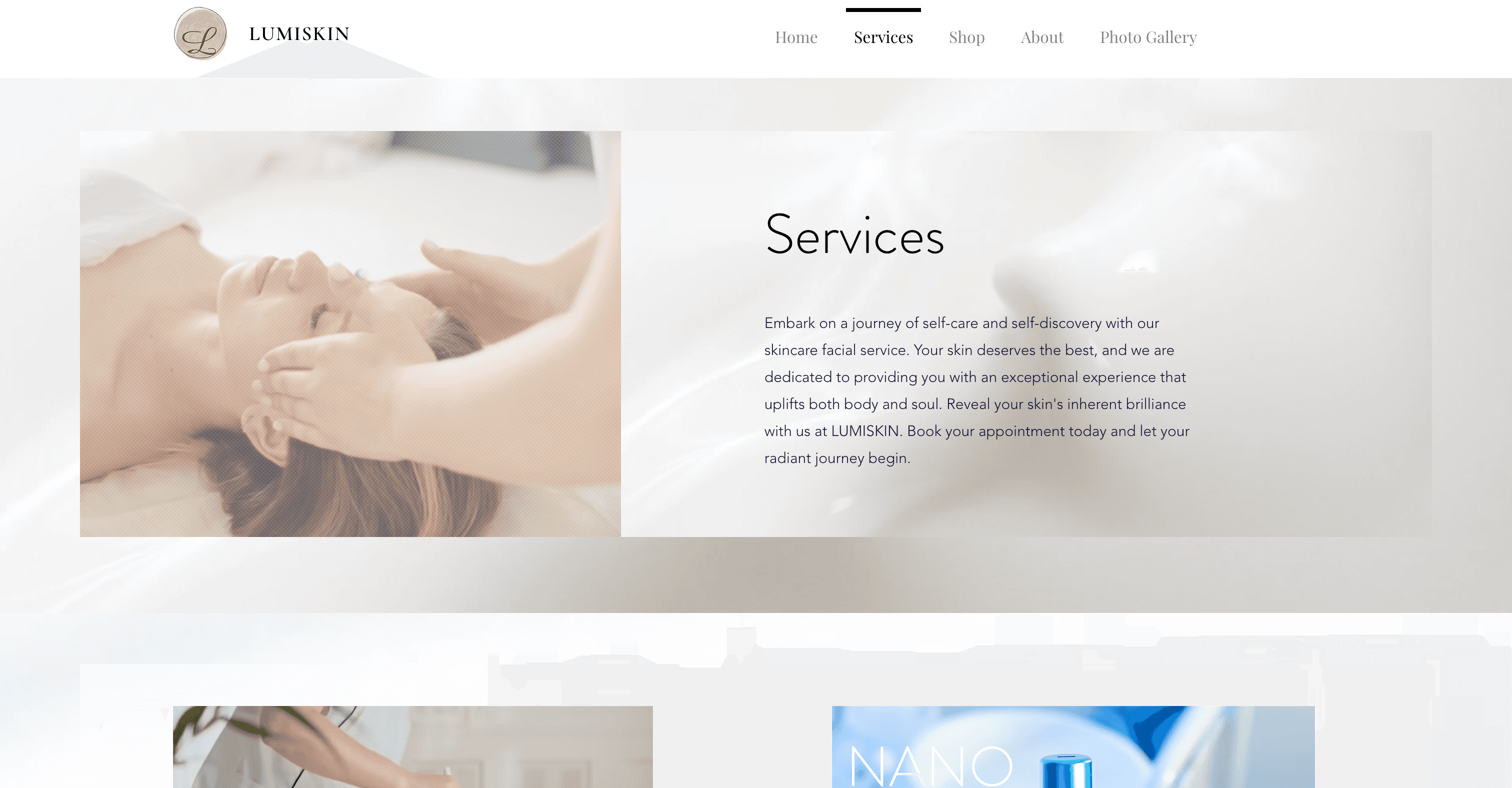
Beauty Spa Startup — Marketing Website
Designed and launched a booking website that helps users discover spa services, book appointments, and complete payments online.

Education Platform — University Application Support Website
Redesigned a university application support website for an international education consultancy, restructuring the information architecture and visual design to help prospective students quickly understand services and take action — resulting in 2x more inquiries and 80% of users reporting improved findability.
