Ducky Flower —
Puzzle Game Design
A four-person team built a calm, pollution-free puzzle game in Godot — a little duck plants trees to break through the jungle, collects flowers, and restores the environment back to its beautiful state. My role: visual design + UI.
How we started
A game without
any pollution.
Our team wanted to make a game where the grass, trees, and flowers never wilt. The sky is always clean, you can see clouds and feel the warmth of the sun. We wanted to help people reminisce about being in the wilderness — and to make players aware that by planting more trees, they help the natural world.
Four of us volunteered to bring the idea to life. The duck became our hero because it was cute, recognizable, and easy for players of any age to engage with.
Game mechanics
Plant trees.
Reach the flower.
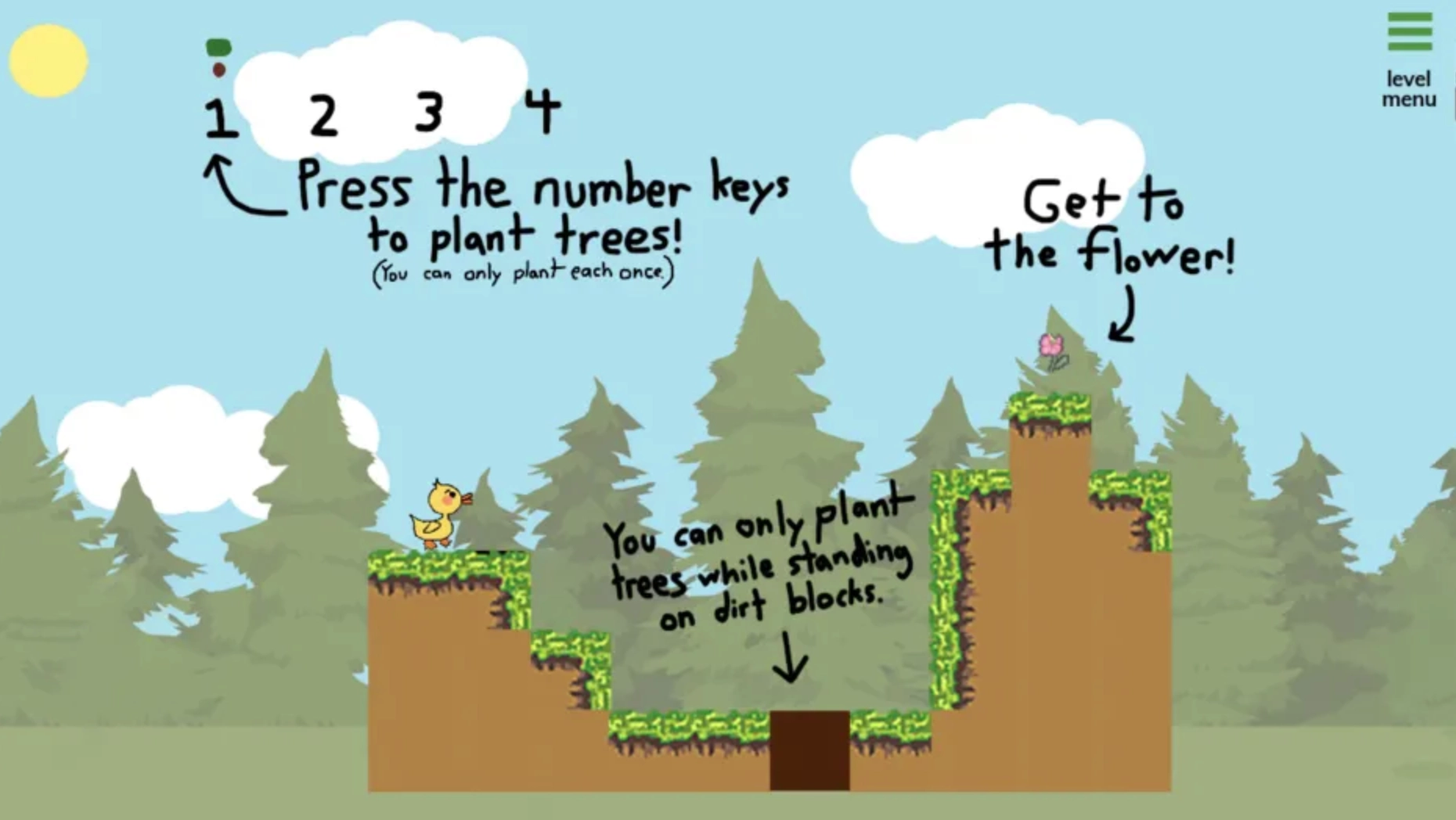
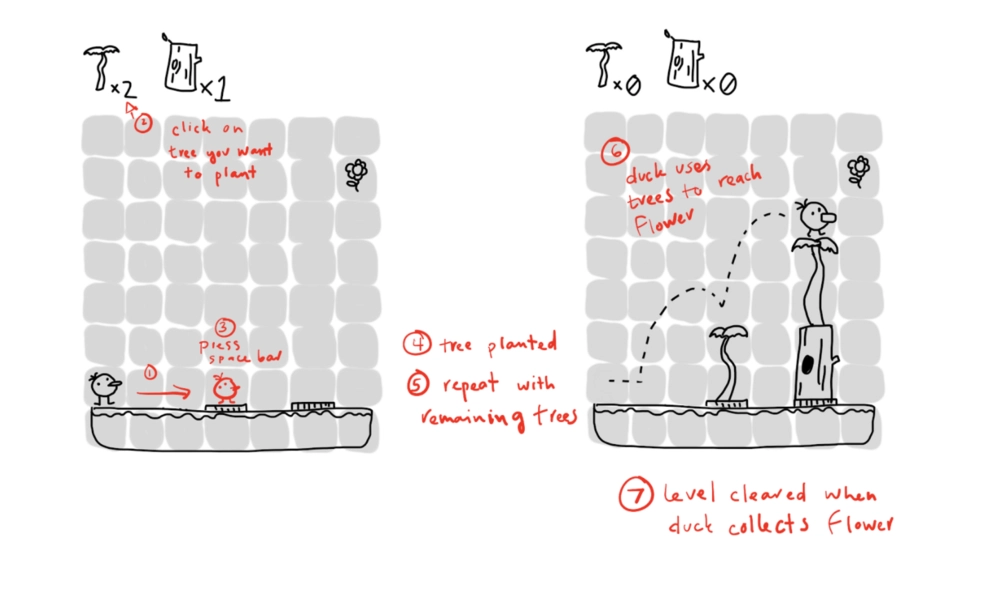
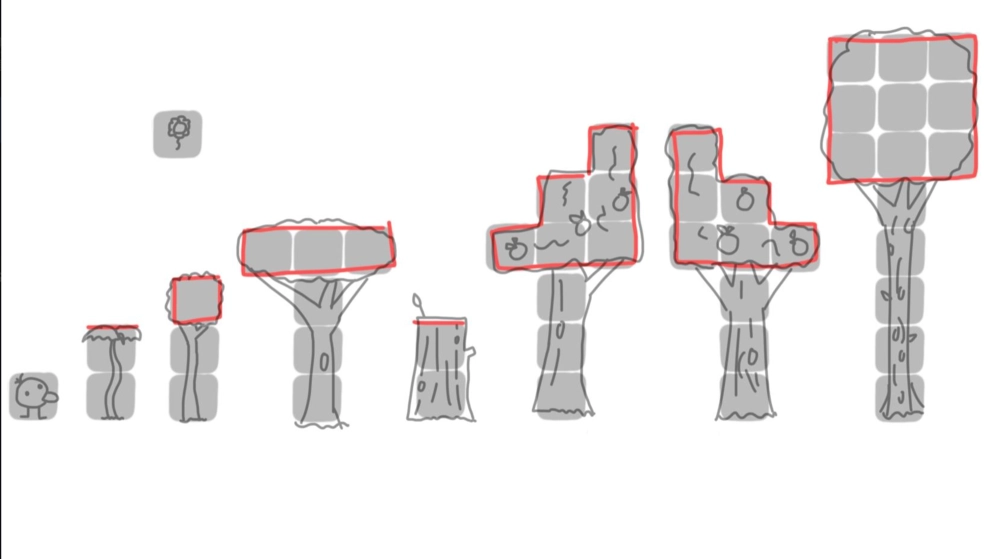
Planting more trees in the right spots brings the player closer to the goal. The mechanic reflects the wilderness theme — the more trees and wildlife you grow, the closer you get. To reach the goal, you control the duck to jump between different heights of trees and overcome obstacles to reach the flower floating in the sky.
Who we are
A four-person
team.
What was hard
Everyone learning
at the same time.
To create the game, we used the Godot engine. We were all new to it, and that posed a challenge for Alexa and Nathanial on the code side. For the visual design, Yana and I had to use pixel art — also new to us. We watched tutorial videos before each portion of work, building confidence one mechanic and one sprite at a time.
Concept
A duck collecting flowers,
planting trees.
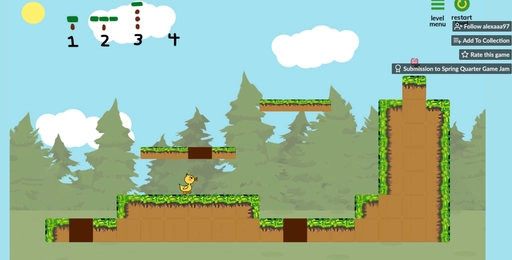
The general theme: a duck collecting flowers and planting trees to help restore the environment. Each level gives the duck a limited number of trees — using them strategically is what gets you to the flower. The draft showed exactly where the UI lives, what trees do, and how many are available at the top of every level.
The Duck
Many ducks before
the duck.
The player controls a duck traveling around collecting flowers. The duck can walk, jump, and cause trees to grow on certain blocks. I designed many versions of the main character — different mouths, different feathers, different feet — until we landed on the version that also matched our game logo. Easy enough for kids to use without a parent's help to navigate.
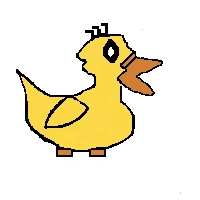
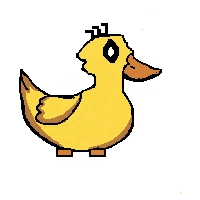
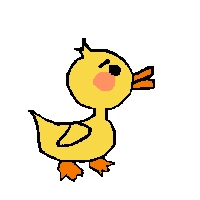
Character design iterations — final version selected (right)
Tile-sets
Pixel art that matched
the whole world.
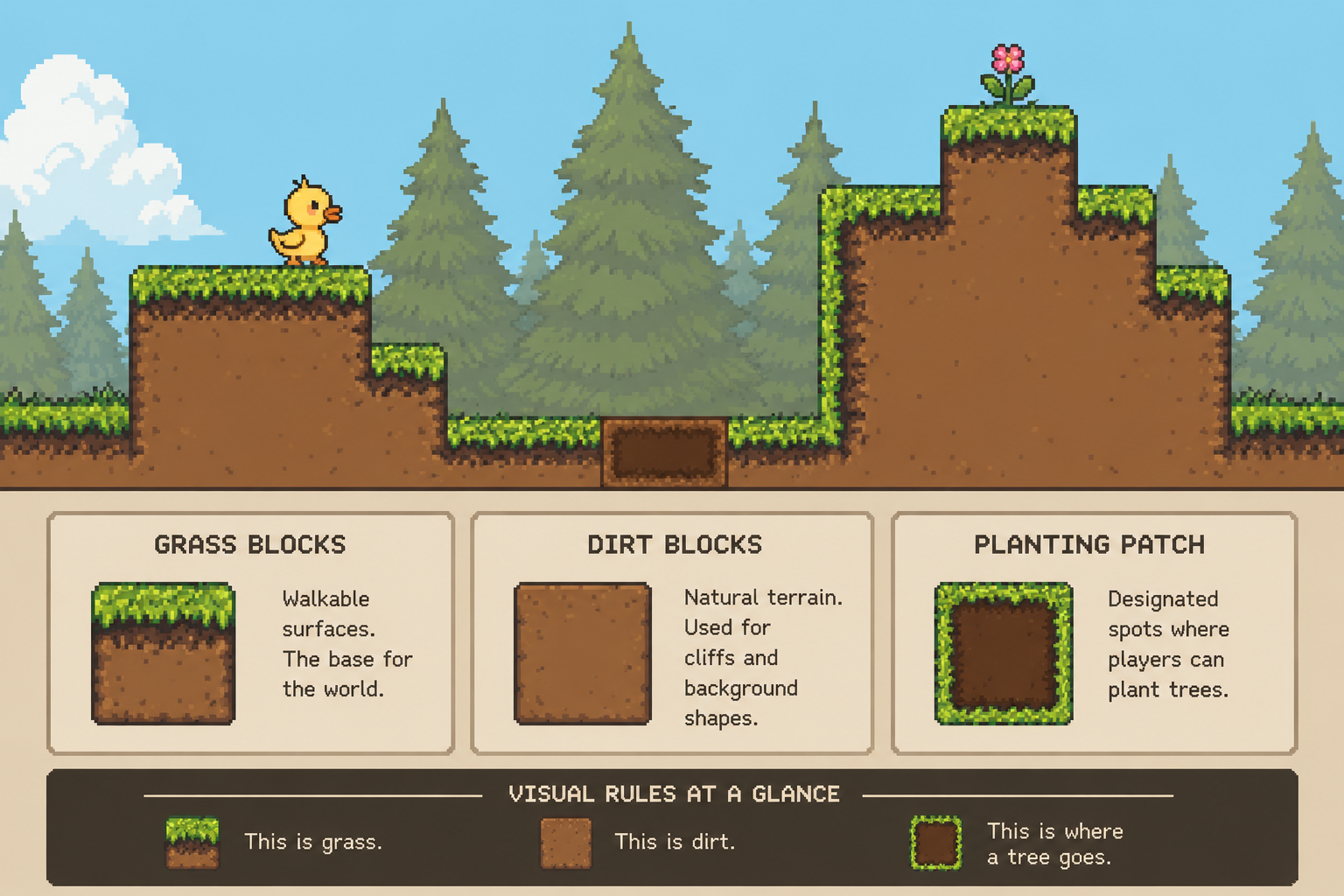
I used pixel art to make the tile-sets match the game's overall style — grass blocks, dirt blocks, and the dirt patches where the player can plant trees. The visual rules had to be obvious at a glance: this is grass, this is dirt, this is where a tree goes.
The Levels
Each level: get to the
out-of-reach flower.
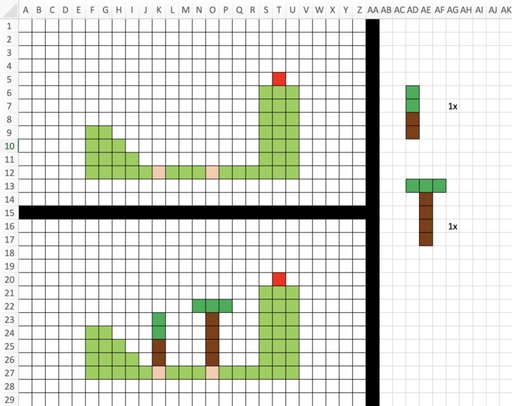
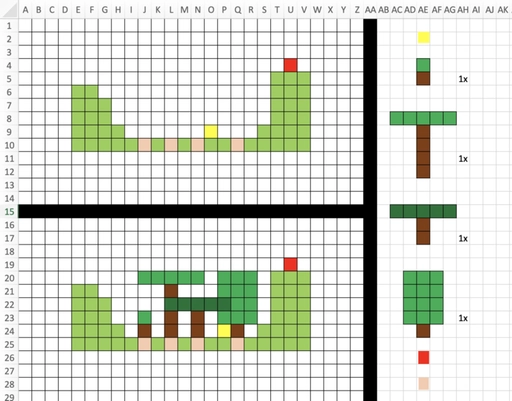
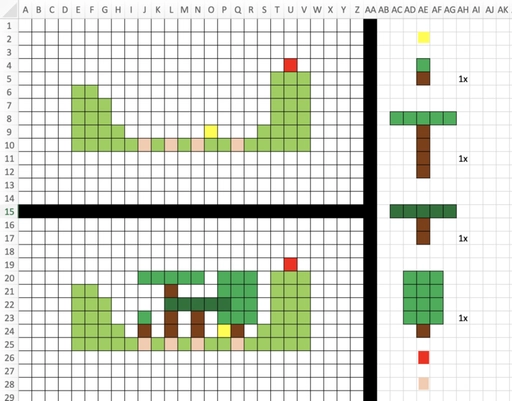
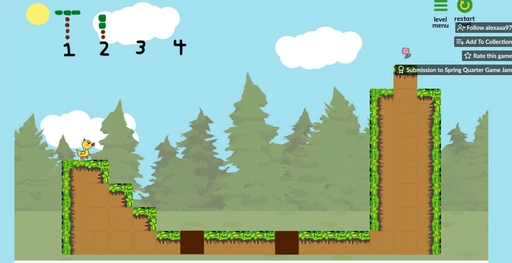
The flow of every level: the player has to reach a flower they can't simply walk to. We sketched every level on grid paper first — yellow squares for the duck's start, green for grass, brown for dirt where trees can be planted, red for the flower goal. Designing on paper meant we could iterate on a level in minutes instead of hours of engine work.
UI Flow
Title → Levels → Play.
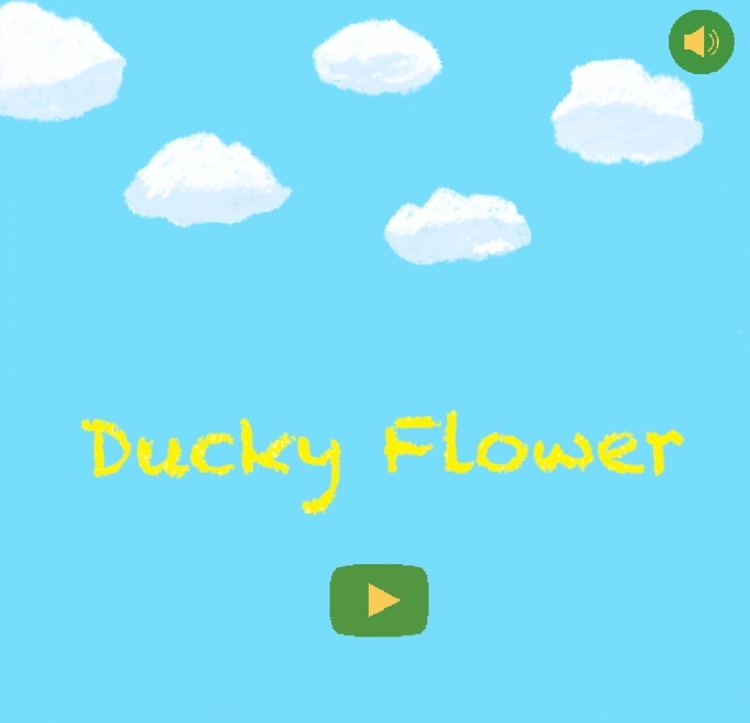
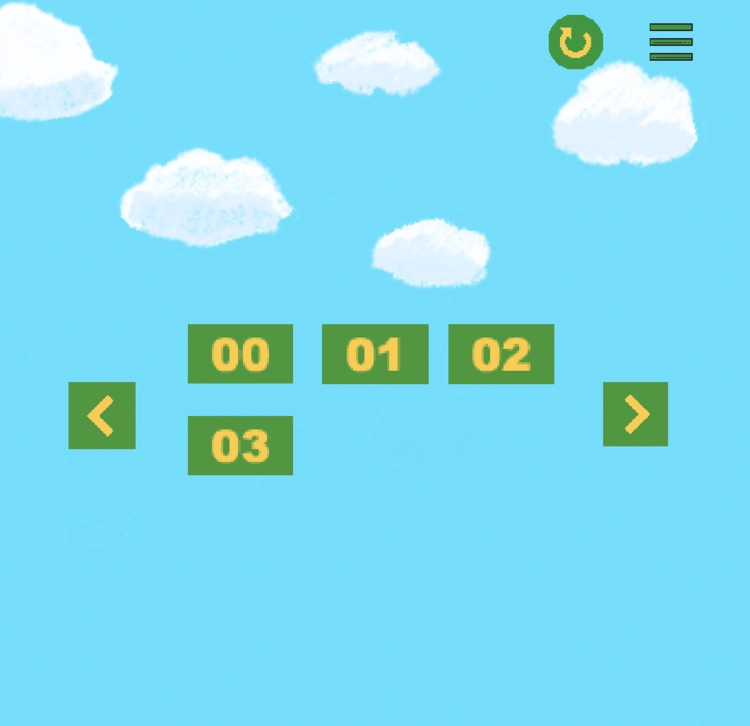
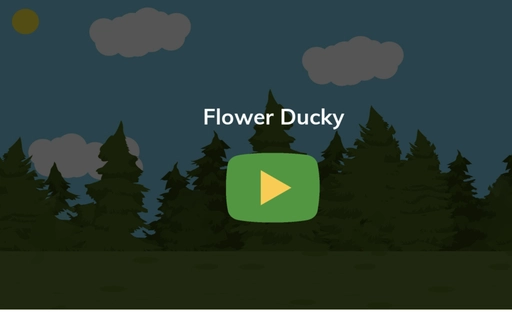
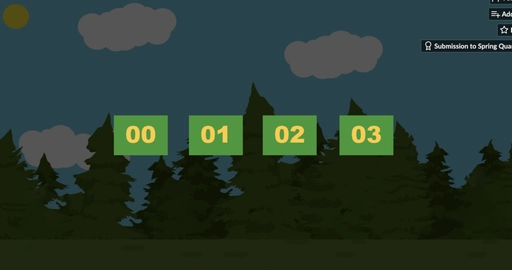
The interface starts with a title screen and a single Start button. From there, a level select shows all the levels you can play — with the next ones locked until you beat the one before. As few decisions as possible, in the order players are ready to make them.
The Game
From sketch
to playable.
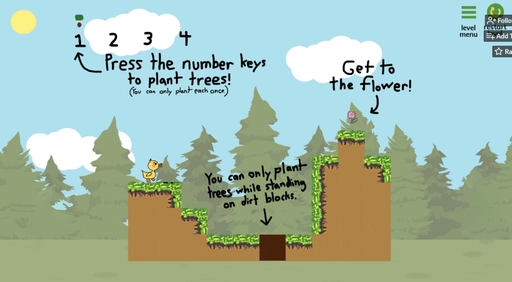
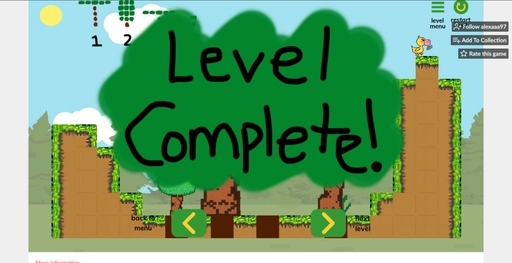
Title screen, three levels, level-complete state. The full loop a player moves through — calm sky, growing forest, a flower at the end of every level worth working for.
Feedback
Players loved the tone —
the screen size, less so.
Most feedback we received from itch.io playtesters revolved around screen size: the game was zoomed in too far, and the level wasn't entirely visible. Beyond that, feedback focused on clearer level navigation — places where unsafe areas would force a restart without warning.
The positive feedback consistently praised the art style, the cheerful, easily-understood message, and how well our game's tone landed.
What we changed in the next pass.
We fixed the screen-size issue so players could see the entire given level. We added instructions and menu buttons (play, level, back to main) and explained controls before the button to guide players to start the game and choose the sprite level.
We refined the tutorial level — adding text on the tutorial level's background indicating controls, dangerous areas, where players can plant trees, and gameplay mechanics — so players could understand how to navigate the game and start playing right away.
A first game taught me
that the tone of a thing
can carry more than its mechanics. — Reflection
What I Learned
A different medium,
the same questions.
Game UI is product UI in disguise. Players need to know where they are, what they can do, and what happens next — exactly like users of any other software. The constraints just look more colorful.
Iteration on paper is faster than iteration in code. Sketching levels on grid paper let us throw away a dozen bad layouts before any of them touched the engine. The team felt that more than I did at the time.
Tone is a deliverable. "Calm and cheerful" wasn't an adjective applied to the work — it was the work. Every art decision either added to it or subtracted from it.